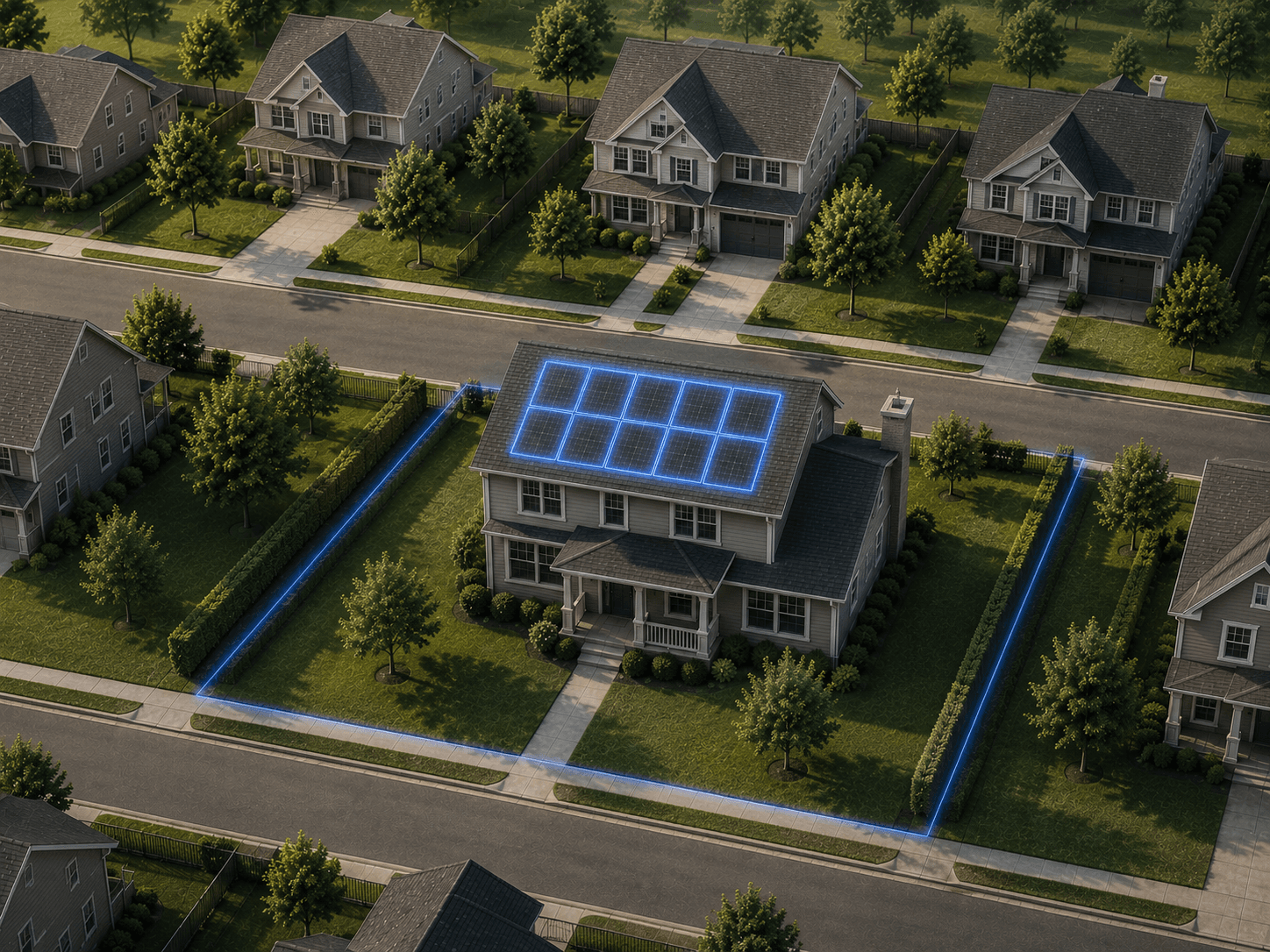
Scout is the canvassing app that knows the neighborhood better than the rep does — roof age, permits, storm history, owner contact, and bill estimates surfaced live on every driveway.
Drop a shape on the map — a neighborhood, a ZIP, your whole territory.
2
Pick a signal
Storm damage, aging roofs, new move-ins, abandoned solar — choose who you want to reach.
3
Unlock and go
Get ranked doors and verified owner phones. Knock them or load the dialer.
01The property dossier
Know the door before your rep knocks.
Tap any roof on the map and Scout assembles the dossier: owner name, move-in tenure, verified email, estimated bill, sun hours, and a fit score that says whether this door is worth the walk. Browsing costs nothing — the whole map is open.
Browsing is free — scout entire neighborhoods without spending a credit
One credit reveals the owner-matched mobile, verified against the title
Bill and sun-hour estimates size the pitch before the doorbell rings
Fit score ranks every roof so reps walk the best doors first
Hail and wind contours land on the map within hours of the storm — drawn to the parcel, not the county. Your morning routes redraw themselves around last night's weather while the competition is still reading the news.
Hail & wind contours, mapped within hours of the event
Refreshed daily — yesterday’s storm is in today’s routes
Mortgage on file — pitch the likely-insured doors first
Swath counts per street, so crews go where the damage is densest
County permit records meet aerial imagery: homes where a solar permit was approved but nothing ever hit the roof. These homeowners already signed once, financed once, and got left behind — someone just has to show up and finish the job.
Approved permits cross-checked against the actual roof
Aerial-verified, not guessed from records alone
98,000+ on file from bankrupt installers
Permit size and value on record — walk up knowing the deal that died
Every permit on file with installer, date, and system size — plus electricity usage curves and grid outage history. Roofs aging into the 18–25 year window, HVAC hitting end of life, summer bills that justify solar, a grid that keeps failing: the signals that tell you why this homeowner picks up.
Draw territories on the map, watch rep positions live, and capture a disposition at every door — knocked, pitched, booked, callback. Leaderboards keep the day competitive; coverage maps make sure no street gets skipped and no door gets hit twice.
Credit-based — map dots hidden until purchaseIncluded
Unlimited nationwideIncluded
Specialty AI datasets
Preview only
Not included
Included
Maps & data layers
Neighborhood insights & utility boundaries
Test area only
Included
Included
Sun exposure & storm layers
Test area only
Included
Included
Solar ad respondents layer
Test area only
Sample dataIncluded
Actual data, nationwideIncluded
EV-owner layer
Not included
Not included
UnlimitedIncluded
Soft credit pulls & financing pre-qualification
Not included
Not included
Included
Live and historical power outages
Not included
Not included
Every stateIncluded
Nationwide, up-to-date HD aerial imagery
Not included
Not included
Included
Operations & integrations
Contractor intel tool
Not included
Not included
Included
Route planning
Not included
Included
Included
Canvassing territories
Not included
Included
Included
Territory assignment
Not included
Included
Included
Per-rep limits, tracking & leaderboards
Not included
Not included
Included
Integrations
Not included
Not included
Included
Developer API
Pro and aboveNot included
Credit-meteredIncluded
Included
Priority support
Not included
Not included
DedicatedIncluded
How credits work Included credits are delivered monthly on every plan — annual billing pays for the year up front, but the credits still arrive month by month, not all at once. Resets, rollover, and top-ups are covered in the FAQ below.
How previews work Starter customers can explore Pro and Enterprise map layers in the test area before upgrading.
Scout
Questions, answered.
What a canvassing manager asks before putting Scout on the team, and how the credits actually work.
What is Scout?
Scout is Scout Data’s door-to-door canvassing app for solar, roofing, and HVAC teams. Tap any roof on the map and it assembles the property dossier — owner name, move-in tenure, verified email, estimated bill, sun hours, permit history, storm exposure, and a fit score that says whether the door is worth the walk.
Does browsing the map cost credits?
No. Panning the map, running filters, and scouting whole neighborhoods never costs a credit. You spend credits only when you pull data on a specific property: one credit reveals the owner-matched mobile, verified against the title, and deeper pulls like a roof report or the full permit history cost a few more.
How quickly does storm damage show up in Scout?
Hail and wind contours land on the map within hours of the storm, drawn to the parcel rather than the county, and refresh daily — so the morning’s routes already reflect last night’s weather.
What are orphaned solar permits?
Homes where a solar permit was approved but no system ever went on the roof, found by cross-checking county permit records against aerial imagery. Scout has 98,000+ on file from bankrupt installers, with the permit size and value on record.
Can Scout run reps and territories?
Yes. Draw territories on the map, watch rep positions live, and capture a disposition at every door — knocked, pitched, booked, callback. Leaderboards and coverage maps keep the day competitive and make sure no street is skipped or knocked twice.
How many people can use one Scout account?
Pro includes 3 people at the flat plan price, with no per-seat charge — a whole crew on one account. Starter is a single seat. A team that needs more than 3 talks to sales about a Team plan.
How do I start with Scout?
Pick a plan and start the trial: 7-day free trial · 100 welcome credits · nothing charged until day 7. Cancel before day 7 and you pay nothing.
What is a credit, and when do I spend one?
A credit is what you spend to pull data on one specific home. Browsing is free — panning the map, applying filters, and counting how many properties match a search never costs anything. Credits come out on a reveal — and on Starter and Pro, only once a rep is past the pulls their plan includes that day: 1 credit for the owner-matched contact, and on Pro, which is the plan that carries the deeper pulls, 3 credits for the energy profile, 3 credits for the roof report, and 5 credits for the full permit history. Unlocks are saved to your team — once one rep opens a property, everyone else sees it again for free.
What can each rep pull every day without spending credits?
Starter includes 50 homeowner contact reveals a day and Pro includes 150, plus 30 permit, roof or energy pulls a day on Pro — one budget shared across all three, not 30 of each. These are per user, not per account, so a five-seat team gets five of them. They reset every day, they don’t roll over, and nothing is deducted from your credits until a rep is past the day’s allowance — after that the normal per-reveal pricing takes over.
How much does a credit cost?
Credits are bundled into the plan price — 1,000 a month on Starter and 2,500 on Pro — so the effective rate depends on how heavily you use them. If you need more before the next refresh, extra credits are $0.14 each on Starter and $0.10 each on Pro. Enterprise capacity is sized in your agreement rather than sold by the credit.
Do unused credits roll over?
Included credits reset at the start of each billing cycle and don’t roll over — they’re a monthly allowance, not a balance you bank. Credits you buy on top do carry, and stay available for 12 months.
What happens if I run out mid-month?
Everything free keeps working — the map, your saved lists, dispositioning, and every property your team already unlocked. Paid pulls pause until you add credits. Any billing admin can top up from billing settings, and the new balance is live immediately.
Are credits per user or shared across the team?
Credits are shared. The whole account draws from one pool, so a rep having a heavy week isn’t stopped by a personal quota. On Pro, each paid extra seat adds another 2,500 credits a month on top of the base allowance. The daily included pulls work the other way round — those are counted per rep, so every seat gets its own.
What’s the real difference between Starter and Pro?
Starter is a single seat with the core Lead Finder filters and the property card essentials — owner contacts and property detail — enough for one rep to build a list and start knocking. Pro opens the parts of the product that need deeper data: permit history, roof reports and energy profiles on the property card, List Builder lists and enrichment, the sold, move-in, roof, equity and permit filters, census and utility boundaries, storm and sun-exposure layers, route planning and canvassing territories, and the developer API. It also grows to 3 users and drops the per-credit rate from $0.14 to $0.10.
When does it make sense to move to Enterprise?
When the constraint is headcount, volume, or a dataset the self-serve tiers don’t carry. Enterprise covers unlimited seats, unlimited Language Preference and EV-owner layers, exclusive nationwide data and HD aerial imagery, live and historical power outages, financing and credit pre-qualification, per-rep credit limits and leaderboards, CRM integrations, and dedicated support.
Can I change plans later?
Yes, from your billing settings. An upgrade takes effect right away — you pay the prorated difference for the rest of the cycle and get a prorated share of the new plan’s credits immediately. Moving to a smaller plan takes effect at the end of your current billing period, so you keep what you already paid for until then.
Scout — Door Knocking & Canvassing App for Solar, Roofing & HVAC